Reports & Branches
Reports & Multi-branch
Run several branches from one login, with takings by branch, revenue split by service line, no-show rates, stock alerts and the vaccinations-due list.
Used daily by · Owners, managers
What Reports & Branches does
Open a second site without opening a second system. Every screen scopes to one branch or rolls up across all of them. And the dashboard answers the three questions owners actually ask on a Monday: what did we take, where did it come from, and what's about to go wrong.
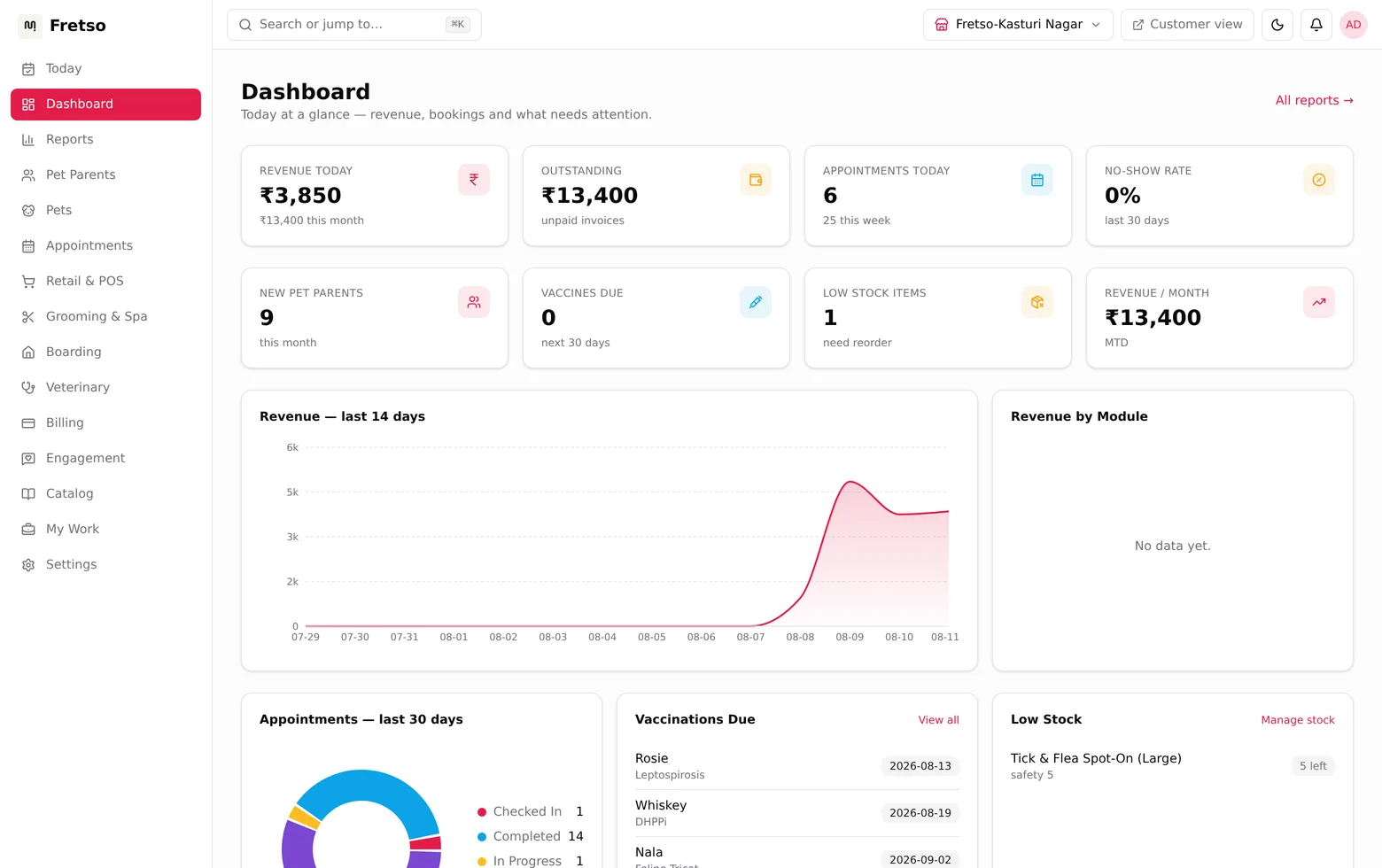
A real screen from Fretso Pet ERP
Capabilities
Inside Reports & Branches
01
Branch by branch, or all together
Managers see theirs. You see everything. Same screens, different scope.
02
Where the money came from
Retail against grooming against boarding against the vet room. The split usually surprises people.
03
The trend
Daily takings you can read at a glance, so a bad fortnight is obvious in week one.
04
Where bookings leak
Booked, arrived, completed, no-show. The gap between the first and last number is money.
05
What sells
Top services, so you can staff and price for what people actually buy.
06
What’s about to bite
Low stock and vaccinations due, surfaced before they turn into a lost sale.
The flow
How a day runs in Reports & Branches
- 01
Open the dashboard for a branch or all of them
- 02
Read takings and the service-line split
- 03
Check the booking funnel for the leak
- 04
Deal with the low-stock list
- 05
Push the vaccinations-due list into recalls
Guides on this
Getting a pet business off spreadsheets without losing a month
What to migrate, what to deliberately abandon, and the order that keeps you trading while you switch.
Owners switching systems · 9 min read
What to charge for dog boarding: a method, not a guess
Work out your cost per run per night, then price up from it. Includes the peak-season pricing most kennels leave on the table.
Boarding kennel and daycare owners · 8 min read
Fretso for Indian pet businesses: what it does, feature by feature
Every module, what it does, and who in your business would actually use it.
Owners evaluating software · 11 min read
What manual stock control really costs a pet shop
Five ways manual stock leaks money, how to size each for your own shop, and the order to fix them in.
Pet shop and retail owners · 9 min read
Works with
Retail & POS
A till built for a pet shop counter. Scan, sell, take any payment, and watch stock drop as you go. Tax handled, drawer counted, day closed.
Grooming & Spa
Grooming tickets that carry the coat notes, the photos and the price. Rebook a regular in seconds and let commission add itself up.
Boarding & Daycare
Runs booked properly, occupancy you can see, and a check-in that catches lapsed vaccinations before the dog is through the door.
Next step
Want to see Reports & Branches on your own workflow?
Twenty minutes on the real software, walked through the way you actually work. No slide deck, and nobody chases you afterwards.